
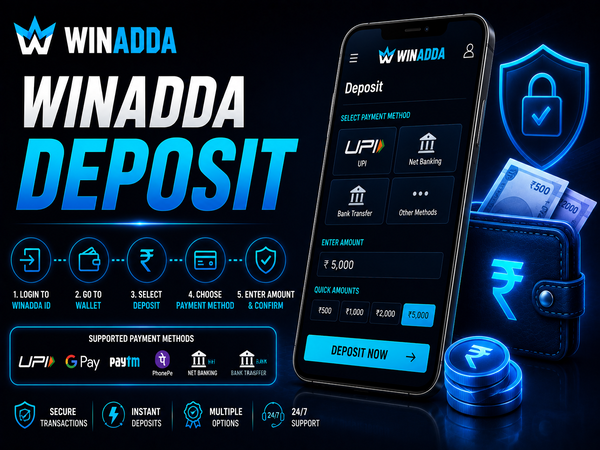
Winadda Deposit
Adding funds to your Winadda account allows you to access available sports betting, casino games and other platform features. The deposit process is designed to be straightforward, with multiple payment methods available depending on your account.
Before making a payment, always verify the payment instructions displayed inside your Winadda account. Using the correct payment details and saving your transaction reference can help avoid unnecessary delays.
How to Deposit Money on Winadda
Depositing funds into your Winadda account only takes a few steps. Follow the available payment instructions carefully and confirm all transaction details before completing the deposit.
Step-by-Step Deposit Process
| Step | Action |
|---|---|
|
1
Login
|
Login securely using your registered Winadda ID and account password. |
|
2
Open Wallet
|
Open the Deposit or Wallet section from your account dashboard. |
|
3
Choose Method
|
Select one of the payment methods currently available for your account. |
|
4
Enter Amount
|
Enter the amount you wish to deposit and review the value before proceeding. |
|
5
Complete Payment
|
Complete the transaction by following the payment instructions displayed on the screen. |
|
6
Check Wallet
|
Check your account wallet after receiving payment confirmation to verify that the deposit has been credited. |
After completing the transaction, keep the payment reference, transaction ID or screenshot until the deposit has been successfully credited to your Winadda wallet.
Winadda Deposit Payment Methods
Available payment methods may vary depending on your account and the payment options currently supported. Always use the methods displayed after logging into your Winadda account.
| Payment Method | Availability |
|---|---|
|
📱
UPI
|
Available Where Supported |
|
🏦
Bank Transfer
|
Available |
|
💳
Net Banking
|
Available |
|
👛
Digital Wallets
|
Where Supported |
Always choose the payment method displayed inside your Winadda account. Avoid sending money using unofficial payment instructions or third-party payment details that are not shown within the platform.
Things to Check Before Making a Deposit
Taking a few moments to review your payment details can help prevent failed or delayed transactions.
Before confirming your payment, check:
- Deposit amount
- Payment method
- Receiver details
- Transaction instructions
- Reference or transaction ID
- Payment confirmation screenshot
Making payments carefully helps reduce the chances of deposit-related issues.
Deposit Processing Time
Most deposits are processed after successful payment confirmation. The exact processing time may depend on the selected payment method, banking network and verification process.
If your deposit does not appear immediately:
- Refresh your Winadda wallet.
- Confirm that the payment was successful.
- Keep your transaction reference ready.
- Avoid making another payment before checking the status.
Safe Deposit Tips for Winadda Users
Following a few simple precautions can help make every deposit more secure. Always use the payment instructions available inside your Winadda account and avoid unofficial payment requests.
Deposit Safety Checklist
- Use only official Winadda payment details.
- Verify the receiver information before making payment.
- Save your transaction ID or payment screenshot.
- Never share your OTP, PIN or banking password.
- Avoid third-party payment links or unofficial support contacts.
- Contact customer support if you notice unusual payment activity.
Common Winadda Deposit Mistakes to Avoid
Many payment issues occur because users overlook small details before completing a transaction. Taking a few moments to review your payment information can help prevent unnecessary delays and improve the overall deposit experience.
Avoid These Common Mistakes
| Mistake | Why to Avoid It |
|---|---|
|
🚫
Sending money to unofficial payment details
|
Using payment information from unofficial sources may result in payment issues or unsuccessful transactions. |
|
💰
Entering an incorrect deposit amount
|
Incorrect payment amounts may delay transaction verification and wallet crediting. |
|
📋
Ignoring payment instructions
|
Skipping the displayed payment instructions can lead to incomplete or failed transactions. |
|
📷
Not saving transaction proof
|
Keeping a screenshot or payment reference makes verification easier if additional confirmation is required. |
|
🔄
Making repeated deposits
|
Submitting multiple payments before the first one is processed may create duplicate payment issues. |
|
🔐
Sharing OTP or banking details
|
Never share OTPs, passwords or banking information with anyone, as doing so can compromise your account security. |
Before confirming any deposit, verify the payment method, amount and recipient details shown inside your Winadda account. Following the on-screen instructions carefully can help reduce unnecessary payment delays.
Winadda Deposit on Mobile
Users can deposit funds through supported Android devices, iPhones or mobile browsers. After logging into your Winadda account, open the Deposit section, choose an available payment method and complete the transaction using the displayed instructions.
After payment confirmation, return to your account and check whether the balance has been updated. If the deposit is delayed, keep your transaction proof and contact customer support.
Responsible Deposits on Winadda
Deposits should always be made responsibly. Only add funds that you are comfortable using for entertainment, and avoid making decisions based on previous results or losses.
Responsible Deposit Practices
- Set a personal spending limit.
- Deposit only what you can afford.
- Avoid repeated deposits to recover losses.
- Take regular breaks from gaming.
- Use the platform only if you are 18 years or older.
- Follow applicable laws in your jurisdiction.
Responsible gaming helps create a safer and more balanced experience.
Frequently Asked Questions
1. How do I deposit money on Winadda?
Log in to your Winadda account, open the Deposit section, choose an available payment method, enter the amount, complete the payment and check your wallet after confirmation.
2. Which payment methods are available?
Depending on your account, available methods may include UPI, bank transfer, net banking and other supported payment options.
3. How long does a Winadda deposit take?
Most deposits are processed after successful payment confirmation. Processing time may vary depending on the selected payment method and verification process.
4. What should I do if my deposit is delayed?
First, confirm that the payment was successful, refresh your wallet and keep your transaction ID ready. If the amount is still not credited, contact Winadda customer support.
5. Should I save my payment proof?
Yes. Keeping your transaction ID or payment screenshot helps if you need assistance with a delayed or failed deposit.
6. Can I deposit from another person’s bank account?
Users should follow the payment instructions available in their Winadda account and use payment methods that comply with the platform’s requirements.
7. Is it safe to deposit on Winadda?
Deposits can be made more securely by using official payment instructions, verifying receiver details and never sharing confidential banking information.
8. What details should I provide when contacting support?
Keep your Winadda ID, deposit amount, payment method, transaction ID, payment date and screenshot ready to help the support team review your request.
9. Can I cancel a deposit after making payment?
Once a payment has been completed, cancellation depends on the payment status and applicable platform procedures. Contact customer support if you require assistance.
10. Is Winadda Deposit available only for users aged 18 or above?
Yes. Winadda services are intended only for users who are 18 years of age or older. Please participate responsibly.
Deposit on Winadda with Confidence
Making a deposit on Winadda is straightforward when you follow the correct payment process and use the official deposit instructions available in your account. Verifying payment details, saving transaction proof and following basic security practices can help ensure a smoother deposit experience.
Whether you are adding funds for sports betting or other available platform features, always use trusted payment methods and contact official customer support if you require assistance.