
Winadda App
Winadda
Sports betting, exchange markets, casino games and account access in one Android application.
- ● Sportsbook
- ↕ Exchange Betting
- ◆ Casino Games
- ₹ Wallet Access
Live Betting Market
Cricket Live Market
Explore Winadda

Winadda App
The Winadda App is the official Android application that provides faster access to the Winadda platform from compatible mobile devices. Instead of opening a browser each time, users can install the latest Winadda APK and launch the platform directly from their smartphone.
The application brings sports betting, exchange betting, casino games, wallet services and account management together within one mobile interface. Its mobile-focused design supports responsive navigation and keeps frequently used platform features organised across compatible Android devices.
Downloading the latest official APK also helps users receive recent compatibility improvements, security enhancements and performance updates. Always download the Winadda App through the official platform and avoid modified APK files, unofficial websites or unknown third-party sources.
What Is the Winadda App?
The Winadda App is an Android application that gives users direct mobile access to available platform services. It brings together sports markets, exchange betting, casino entertainment, payment functions, account settings and assistance within one interface.
Instead of accessing the platform through a mobile browser each time, users can launch the application directly from their device. The same Winadda ID can be used across supported desktop and mobile devices, helping users manage one account without creating separate profiles.
By keeping important platform functions in one place, the application provides a more organised and consistent mobile experience.
Why Choose the Winadda App?
The Winadda App is designed to make platform access more practical for Android users. It reduces repeated browser navigation and provides a dedicated mobile interface for frequently used services.
Faster Platform Access
Once installed, the application can be opened directly from the device’s home screen. Users can access available sports, casino, wallet and account sections without searching for the platform through a browser each time.
Mobile-Optimised Experience
Layouts, menus and platform functions are organised for smaller screens. This helps users browse markets, review account information and move between different sections more efficiently.
One Account Across Devices
Users can access the application and supported desktop services with the same registered account. Account settings and available platform information remain connected across compatible devices.
Simplified Account Management
The app brings profile information, wallet activity, account settings and support options together within one interface, making routine account management more convenient.
Regular Application Updates
New APK versions may include compatibility improvements, interface refinements, bug fixes, security enhancements and performance updates. Installing the latest official version helps users access the most recent application improvements.
Key Features of the Winadda App
The application combines multiple platform services within one Android interface. Win adda Users can browse available betting options, access casino categories, manage account activity and review wallet information without moving between separate websites.
Sports Betting
Users can explore available competitions, fixtures and betting markets through the app. The mobile interface makes it easier to browse the Winadda Sportsbook , follow live sporting events and review available odds from a supported smartphone.
Exchange Betting
Where available, users can access exchange betting through the same application. Sportsbook and exchange markets remain within one platform, allowing users to move between the two sections without signing in again.
Casino Games
The application also provides access to the Winadda Casino , including available live tables, slots, card games and other casino categories. Users can explore these sections through the same mobile account used for sports access.
Secure Account Access
Registered users can access their personal dashboard using their account credentials. The application allows users to manage profile information, review account activity and use available platform services across supported devices.
Wallet Management
The wallet section allows users to review their balance, transaction activity and supported payment functions from one place. Users can access the dedicated deposit process when adding funds to their account.
Withdrawal Access
Eligible users can also review available payment details and submit requests through the Winadda Withdrawal section. Withdrawal options and processing requirements may depend on the account and payment method available.
Live Platform Updates
Users can follow ongoing sporting events and monitor available live markets without repeatedly reopening browser pages. Market information may update as live events progress.
Mobile-Friendly Navigation
Sports betting, exchange markets, casino categories, wallet services and account settings are arranged into dedicated sections. This helps users find important features with fewer navigation steps.
Account Assistance
Support options remain accessible through the platform when users need help with application installation, login access, account verification, payments or general navigation.
How to Download the Winadda App
Downloading the Winadda App is straightforward when the APK is obtained through the official platform. Users should always install the latest available version to receive recent compatibility, performance and security improvements.
Before starting the download:
- Check that the Android device has a stable internet connection.
- Confirm that sufficient storage space is available.
- Avoid unknown APK websites and third-party download links.
- Make sure the file is obtained from an official Winadda page.
- Remove incomplete or outdated APK files before downloading again.
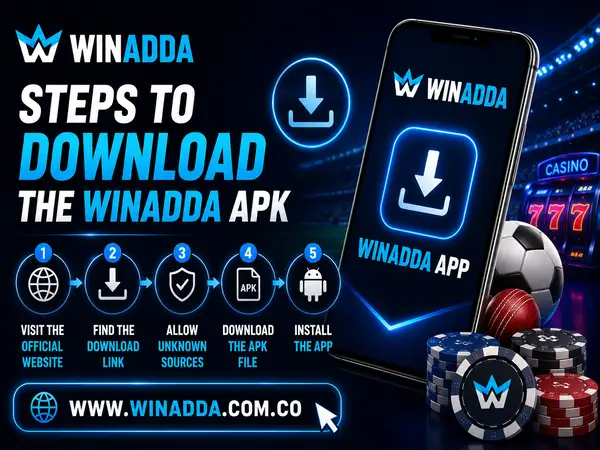
Steps to Download the Winadda APK
- Visit the official Winadda platform.
- Navigate to the Winadda App section.
- Select the latest available APK download option.
- Wait for the APK file to download completely.
- Open the downloaded file and continue with installation.
Using the latest version helps ensure that the application is compatible with recent platform updates and supported Android devices.
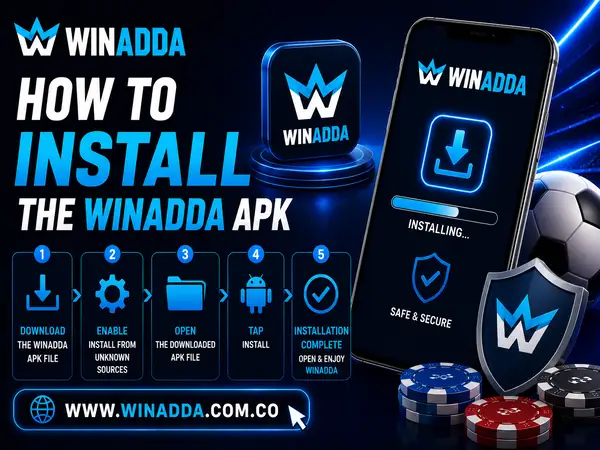
How to Install the Winadda APK
After downloading the APK, Android users can install the application by following the steps below. The exact menu names may differ depending on the Android version and device manufacturer.
- Step 1: Locate the Downloaded APK
Open the device’s Downloads folder or the location where the application file was saved. - Step 2: Allow Installation When Required
Some Android devices request permission before installing an application downloaded outside the standard app store. Enable the required permission only for the trusted Winadda APK installation. - Step 3: Begin Installation
Tap the APK file and follow the on-screen instructions. Wait until Android confirms that the application has been installed. - Step 4: Launch the App
Open the Winadda App from the device’s application menu or home screen. - Step 5: Sign In
Existing users can access their account through the Winadda Login page or use their registered credentials within the application.
New users should complete the account registration process before attempting to access restricted platform features.
Winadda App Device Compatibility
The Winadda App is primarily designed for supported Android smartphones and tablets. Keeping both the Android operating system and the application updated can improve compatibility and general performance.
| Requirement | Details |
|---|---|
| Platform | Supported Android devices |
| Internet connection | Required for account access, markets and updates |
| Storage space | Adequate free storage for installation and future versions |
| Application version | Latest official APK recommended |
| Account access | A valid registered account is required |
| Device software | Updated Android software is recommended |
i Application performance may differ depending on the device model, operating system, storage availability, internet speed and installed APK version.
Winadda App Security and Safe Usage
Account safety begins with downloading the correct application and protecting login information. Users should follow basic security practices whenever they install, update or access the Winadda App.
Download Only from Official Sources
Always obtain the latest APK through the official Winadda platform. Unofficial websites may provide outdated, incomplete or modified files that could affect application performance and device security.
Protect Your Account Credentials
Keep your account ID, password, OTP and verification codes private. Winadda users should not share confidential login or payment information with unknown individuals or unofficial support contacts.
Keep the Application Updated
Installing recent APK versions helps provide access to current bug fixes, compatibility improvements and security updates. Avoid continuing to use an outdated application when a verified newer version is available.
Secure Your Mobile Device
Use a PIN, password, fingerprint lock or another supported device security feature. This can help prevent unauthorised account access if the device is lost, borrowed or shared.
Review Payment Information
Before confirming any financial transaction, verify the payment method, account information and amount. Incorrect details may result in delays or unsuccessful requests.
Log Out on Shared Devices
Avoid leaving the account active on a device used by other people. Log out after completing your session and do not save credentials on public or unfamiliar devices.
Winadda APK Download Safety Checklist
Before installing or updating the Winadda App, review this checklist:
- Download the APK only through the official platform.
- Confirm that you are installing the latest available version.
- Use a stable internet connection during download.
- Check that sufficient device storage is available.
- Avoid unknown websites and modified APK files.
- Keep the Android operating system updated where possible.
- Never share your password, OTP or payment credentials.
- Remove obsolete APK installation files after updating.
- Check the downloaded filename before opening it.
- Stop the installation if the device displays an unexpected security warning.
These precautions support a safer installation process and reduce the risk of downloading an incorrect application file.
Frequently Asked Questions
Is the Winadda App available for Android?
Yes. The Winadda App is distributed as an APK for compatible Android devices. Users should download the latest version only through the official platform.
Do I need a Winadda ID to use the app?
Yes. A registered account is required to sign in and access account-specific platform features.
Can I use one account on different devices?
The same account credentials may be used across compatible mobile and desktop devices. Users should keep their credentials secure and log out from devices they no longer use.
How do I update the Winadda App?
Download the newest official APK and install it according to the instructions provided. In many cases, the updated version can be installed over the existing application.
What should I do when the APK does not install?
Check device compatibility, storage availability, installation permissions and the integrity of the downloaded file. Download a fresh official APK if the existing file appears incomplete.
Can I access sports betting and casino games through the app?
The application provides access to supported sports, exchange and casino sections available through the platform.
What should I do if I cannot log in?
Verify your credentials and internet connection, restart the application and check that the latest version is installed. Use account recovery or official assistance if the problem continues.
Does the app support deposits and withdrawals?
Users can access available wallet services and review supported payment options through the application. Payment availability may depend on account status and current platform options.
Is the Winadda App free to download?
The official APK may be downloaded without an application purchase fee. Users should check the official platform for the latest version and current information.
Can iPhone users install the Winadda APK?
No. APK files are designed for Android devices. iPhone users should access Winadda through a supported mobile browser unless an official iOS option is specifically made available.
Download the Winadda App
Whether you are installing the application for the first time or updating an existing version, downloading the official Winadda APK supports a safer and more reliable mobile experience.
Once installed, users can access available sports betting, exchange markets, casino categories, wallet functions and account settings from one Android application. The app is designed to simplify everyday platform access while maintaining a consistent interface across supported devices.
Before downloading, confirm that you are using the official platform and that your Android device meets the necessary compatibility requirements. Installing the latest version helps provide access to current performance improvements, security enhancements and platform updates.
 Get Winadda ID Now